The System File Check reviews the key technical control files of your website in a compact run. The focus is particularly on robots.txt, sitemap files, and llms.txt – exactly the files that provide important signals about structure, permissions, and discoverability for search engines, crawlers, and increasingly also for AI systems.
The tool is particularly suitable for technical audits, relaunches, SEO approvals, and quality checks after deployment or hosting changes. Instead of manually opening each file individually and interpreting its state yourself, you receive an understandable status for each file, a brief professional assessment, and, if needed, a direct link to the checked resource.
How the tool works in practice
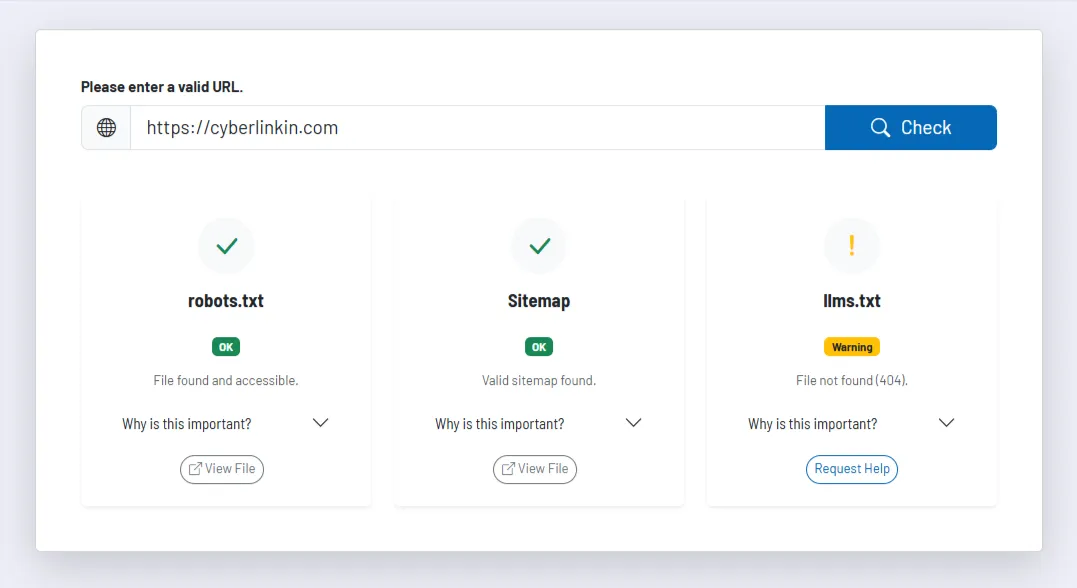
You enter your website URL and start the analysis. The tool normalizes the address, derives the base domain from it, and then checks the typical target paths for robots.txt, various sitemap variants, and llms.txt. If the sitemap is not located at a standard path, it additionally checks whether robots.txt refers to a specific sitemap.
You receive an individual status for each file. The tool not only detects whether a resource exists, but also whether it appears plausible in terms of content or merely returns an HTML page instead of the expected file. These soft-404 situations are very common in practice and are easily overlooked during a superficial visual check.
In addition, the tool briefly explains for each file why it is relevant and what impact a missing or faulty state can have. This makes the output not only technically correct, but also easier to communicate in everyday work, for example to marketing, editorial teams, or project management.
Core features and key views
robots.txtis checked to see whether the file is accessible, whether it behaves like a genuine control file, and whether a sitemap reference can be found in it.- The sitemap check considers several typical standard paths and can additionally adopt a sitemap path specified in
robots.txt. This increases the likelihood of correctly detecting even non-standard configurations. llms.txtis treated as a separate check point. This is particularly interesting for teams that want to set up their content cleanly in the context of AI visibility and structured signaling.- Each card contains status, explanatory context, relevance notes, and, for successful checks, a direct link to the file. This allows you to move directly from diagnosis to manual visual review or correction.
Recommended workflow
Ideally, use the tool as a fixed checkpoint after technical changes, relaunches, or CMS updates. The check is particularly important when redirects, caching, security rules, or hosting components have been changed, because in exactly these situations generic HTML responses are often delivered instead of the expected system file.
If warnings occur, you should not only examine the file itself, but also its integration into your overall structure. A formally existing sitemap is of little use if it is not up to date, and an accessible robots.txt can still contain undesired blocks. The tool provides the initial technical assessment that should then flow into the next steps of your detailed review.