Large File Sharing is designed for the fast and professional transfer of large files. Instead of distributing files via insecure email attachments or external transfer services, you upload the file once and then share a clear download link. This saves time, looks professional, and gives you control over how long a file remains available and how often it has been downloaded.
In this article
The tool is suitable for large layouts, presentations, videos, handover packages, raw data or other files that become impractical in classic email communication. Progress display, password protection, management of active shares, and the public download page turn it into a clean handover process instead of a mere file upload.
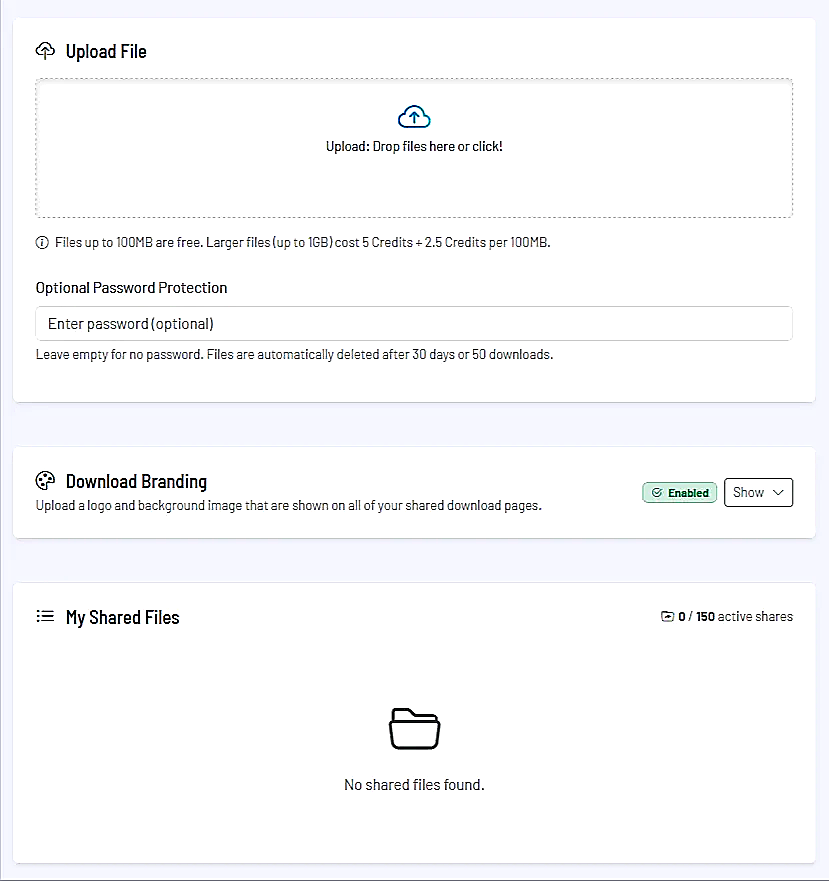
How uploading works
Quick start via drag and drop
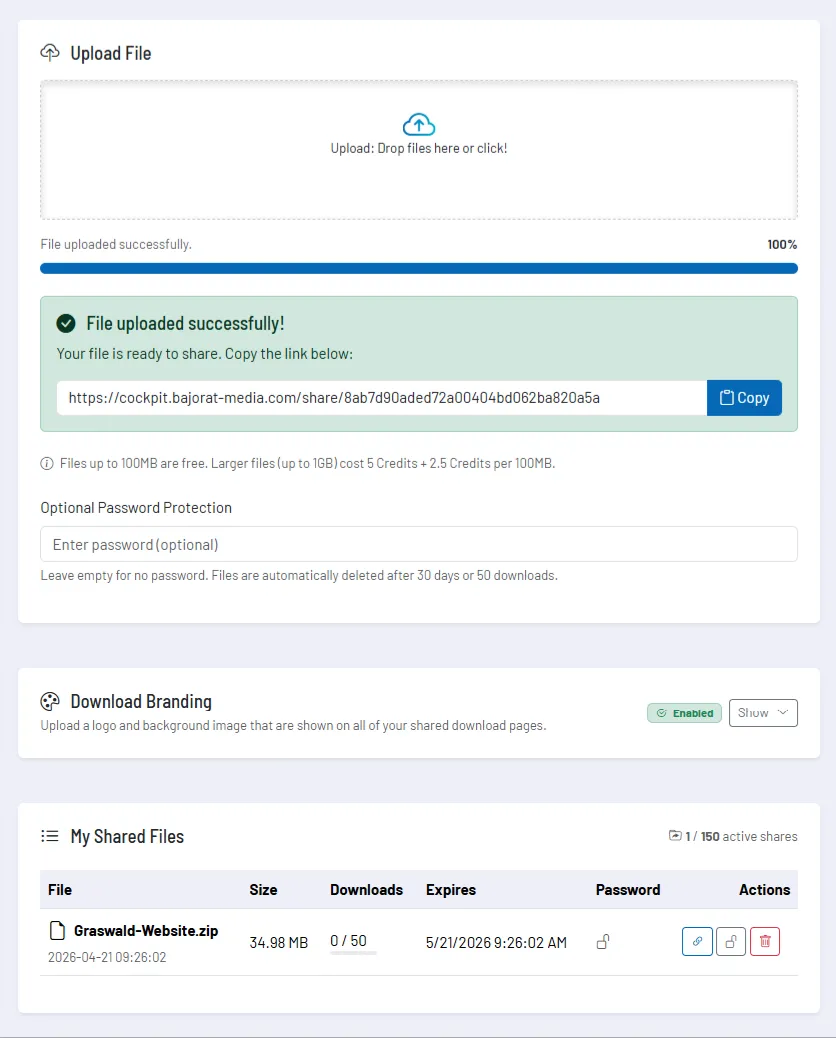
Drag the desired file into the upload area or select it manually. Once the upload is complete, you immediately receive a share link that you can copy and pass on directly. In everyday use this is particularly convenient because there is virtually no additional step between upload and sharing.
Reliable transfer even for large files
The tool does not just use a simple standard upload, but can reliably process large transfers in several steps. This keeps uploads of larger files under control: you see the progress, receive clear status messages, and can cancel a running upload if necessary.
This segmentation is particularly valuable when transferring large files and the process needs to remain stable and traceable.
Password protection, validity and download counter
Already during upload you can optionally protect a file with a password. This means the link is not just an address for the download, but a controlled share where the recipient must additionally enter the password.
Shares are not open indefinitely. The tool manages a clear lifetime per file: a share is automatically removed when the defined time period is reached or the maximum number of downloads has been used up. In the current tool logic this means: automatic deletion after 30 days or after 50 downloads.
In practice this is particularly useful because you do not have to maintain old transfer links manually and can also track whether a file has already been accessed multiple times.
Managing your own shares
In your overview you see all active shares with the most important key figures: file name, size, download count, expiry date and password status. This way you do not have to guess which links are still active or which file has already been downloaded frequently.
| Area | Everyday benefit |
|---|---|
| Share link | can be copied directly and forwarded without detour |
| Password status | shows whether access is additionally protected |
| Downloads | shows how often a file has already been accessed |
| Expiry date | helps with scheduling and time-critical handovers |
| Actions | enable deletion and setting, changing or removing a password |
It is particularly convenient that password protection can also be managed afterwards. This allows you to respond to changed requirements without having to upload the file again from scratch.
Public download page and branding
Recipients do not land on a raw technical view, but on a clear download page. There, the file, sender context and, if applicable, the password step are presented cleanly. This looks more professional than a simple direct link and gives the download a clear, understandable frame.
In addition, the tool offers a branding area for the download pages. There you can store your own visual elements such as logo and background image so that shared download pages are more closely aligned with your external appearance.
Recommended way of working
- Consistently set a password for sensitive or customer-related files.
- Check the share link immediately after upload before forwarding it.
- Actively use the shares overview to clean up expiring or no longer needed links.
- Keep an eye on the download counter when files are intended only for a small group of recipients.
- Use branding on the download page when file handovers are meant to be a professional part of your customer communication.