The WP Security Check translates the often confusing WordPress Site Health report into an understandable, prioritized security and system assessment. You paste in the information from the “Tools > Site Health > Info” section, and the tool breaks this data down into a technical inventory, known vulnerability signals, and an AI-supported action recommendation.
This makes the tool particularly suitable for website owners, agencies, and technical contacts who want to quickly see where a WordPress system stands in terms of security. Instead of manually reading raw data, you get a focused view of version statuses, possible vulnerabilities, and concrete next steps.
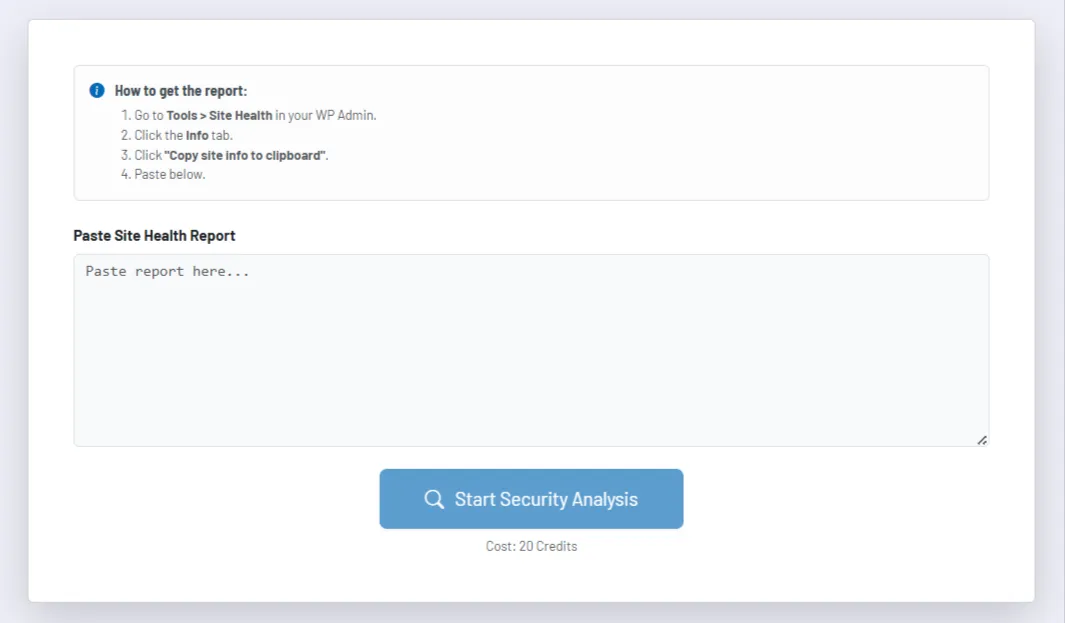
How the tool works in practice
You copy the system information directly from your WordPress backend and paste it into the tool. A multi-step process then starts: first the report is parsed, then the detected components such as WordPress core, PHP version, plugins, and theme are checked against known vulnerability signals, and finally condensed into a summarized assessment.
During the analysis, the tool shows the progress. This makes it clear that it is not just generating a single rating, but actually running several technical checks in the background. The result is then divided into different sections so that you can understand both the overall condition and individual risk drivers.
The core of the output is an overall status, a score, and a written summary with recommendations. In addition, you see detected system information and a separate list of known security issues, if relevant entries are found for core, PHP, plugins, or themes. This turns a raw report into a clearly readable action plan.
Core features and key views
- The parser automatically extracts key system components such as WordPress version, PHP version, active theme, and installed plugins from the pasted Site Health report.
- The technical check examines known vulnerability signals on a per-component basis. This means risks are not only described in general terms but are explicitly assigned to the affected components.
- The result view combines status color, score, summary, and recommendations. This makes it easier to communicate the outcome to stakeholders who are not purely technical.
- System information and the vulnerabilities list remain visible separately. This allows you to distinguish between general system status and actually detected risk entries.
- The tool is also suitable for repeated checks, for example after updates or security measures, because the same report process can be triggered again and compared later.
Recommended workflow
Use the tool not only for acute problems, but also as a regular security check after core, plugin, theme, or hosting changes. Especially for WordPress systems with many extensions, regularly reviewing versions, potential vulnerabilities, and configuration signals helps you identify technical debt early.
Work through recommendations in a sensible order: first known vulnerabilities and outdated versions, then configuration and maintenance topics. You achieve the greatest impact when you use the tool as a starting point for a structured security process and then directly translate the insights into update, hardening, and monitoring measures.