Website Screenshot creates clean screenshots of websites for documentation, reviews, approvals and visual comparisons. The tool is particularly useful when states of a page need to be captured quickly and shared easily.
In addition to the URL, you can define the device type and additional cleanup options. This makes the tool suitable not only for simple screenshots, but also for tidier captures that are better suited for client approvals or audit documents.
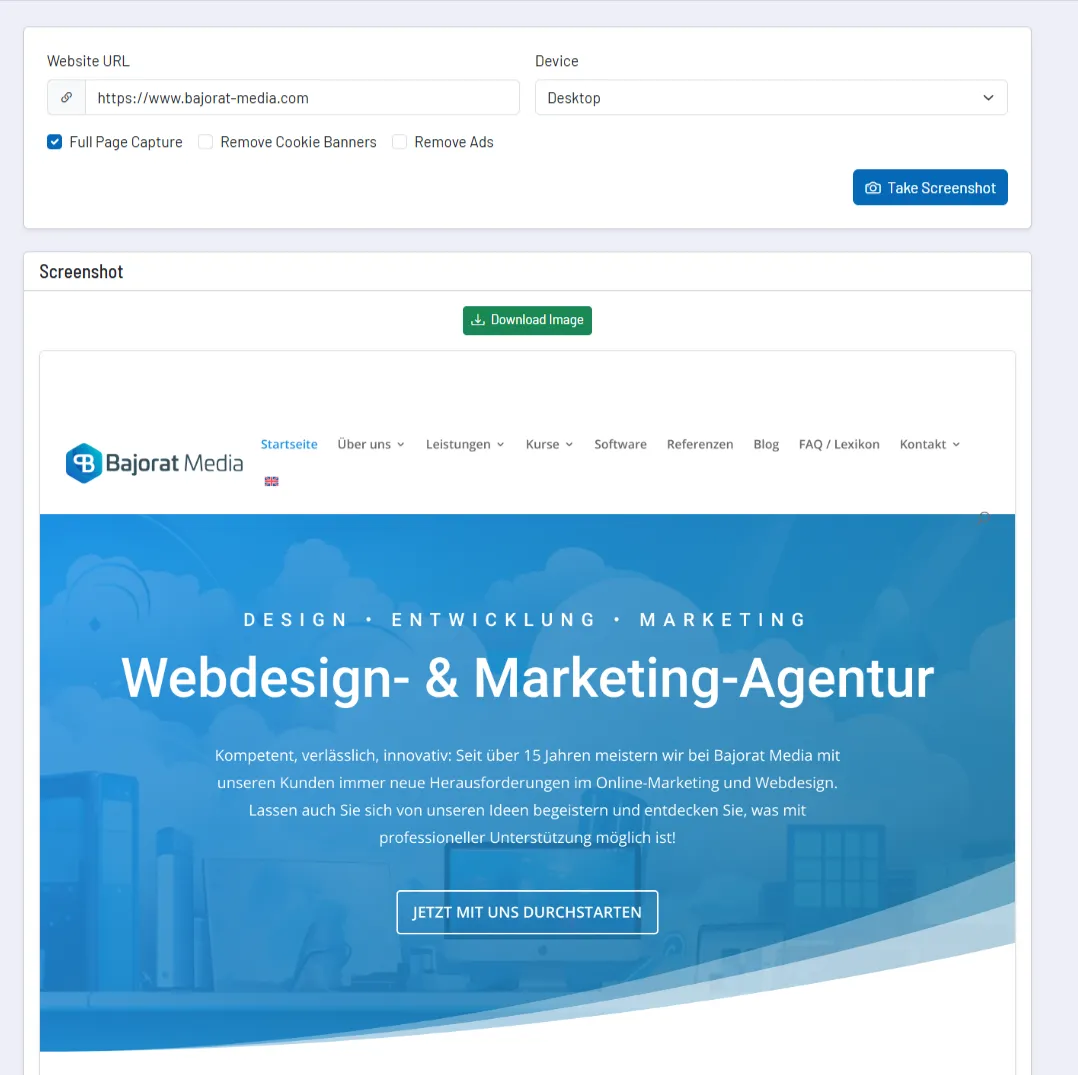
How the tool works in practice
You enter the desired URL, select the target device and define whether the capture should be taken as a full page and whether cookie banners or ads should be removed.
After creation, the image is displayed directly in the tool and can then be downloaded. This saves intermediate steps compared to manual screenshots in local browsers.
Core features and key views
- Device selection: Screenshots can be generated specifically for desktop, tablet or mobile.
- Full-page capture: If desired, not only the visible section but the entire page is captured.
- Cleanup options: Cookie banners and ads can be removed from the capture.
- Direct result preview: The image is visible in the tool and can be downloaded immediately.
This is especially useful for visual documentation, change comparisons or approvals, where a clean screenshot is often more helpful than a written description.
Recommended workflow
- Select the target device to match the actual review situation, not just for convenience.
- Use the cleanup options when the capture is intended for clients, documents or presentations.
- Use full-page captures especially for long landing pages, guides or checkout flows.