Text to Speech converts written content into ready-to-use audio files. The tool is ideal when text needs to be turned into a spoken version quickly, for example for accessibility purposes, for proofreading, for short spoken versions, or for repurposing content in audio form.
The workflow is intentionally simple: enter text, choose a voice, generate audio, listen, and download. This makes the tool suitable both for small standalone texts and for recurring audio versions in everyday editorial work.
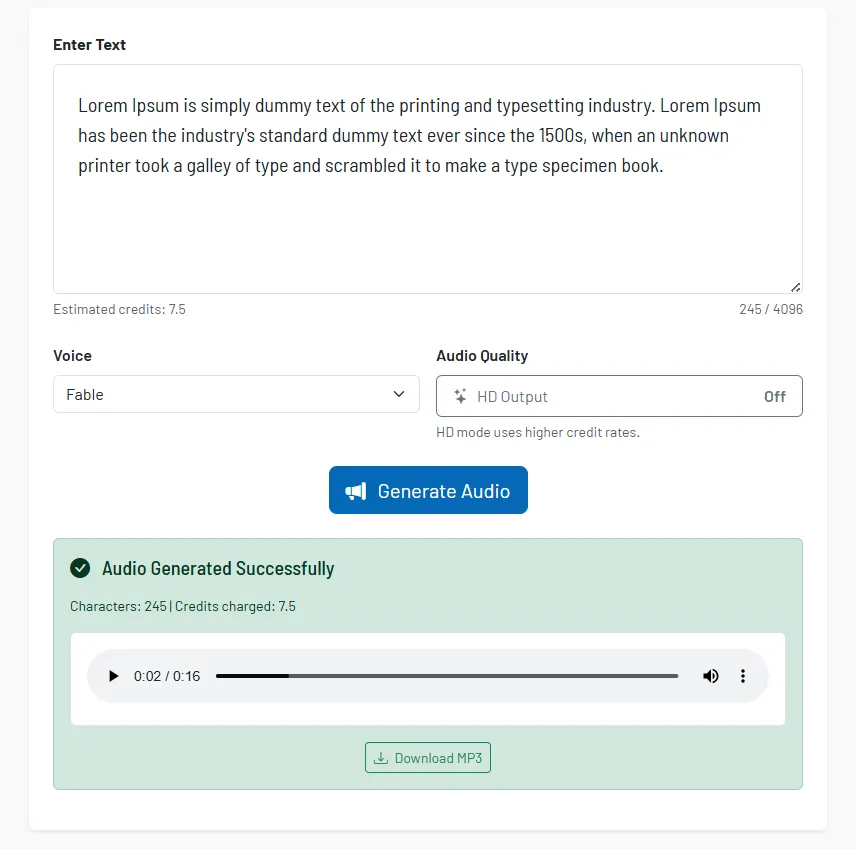
How the tool works in practice
You insert the desired text directly into the input field and then select a voice. You can also adjust the audio quality. After starting, the tool generates a playable audio file that you can review immediately.
The result view contains a built-in audio player. This lets you check directly in the tool whether tone, intelligibility, and text version fit together before you reuse the MP3 file.
Core features and key views
- Direct text input: Short and medium-length texts can be prepared directly in the tool without additional steps.
- Voice selection: Different voices enable different use cases, for example factual, friendly, or neutral.
- Quality switch: The output can be generated in higher audio quality when the spoken version should sound particularly clean.
- Audio preview: The generated result can be played back directly in the tool.
- Download as MP3: The file can be downloaded immediately for websites, approvals, or internal workflows.
A particularly practical use case is proofreading by ear. Many phrasing issues, repetitions, or sentences that are too long are easier to notice when listening than when just reading.
Recommended workflow
- Whenever the audio will be used externally, use texts that have already been edited linguistically as much as possible.
- Use the preview consistently before sharing a final file.
- Also use the tool internally to check texts for comprehensibility, rhythm, and sentence length.
- Select the voice according to the purpose, not just personal preference.