The Teams area creates a shared work context for multiple people within a company. Instead of everyone working in isolation with their own projects, tickets or information, a coordinated shared view and workspace is created in which relevant content becomes available across the team.
In this article
This is a major advantage especially for management, marketing, sales, project management or operational staff. Information is no longer tied to individual accounts, handovers become easier and the current status of a topic is transparent for authorized persons. This turns Cockpit from a single-user tool into a shared work platform.
How teams work in practice
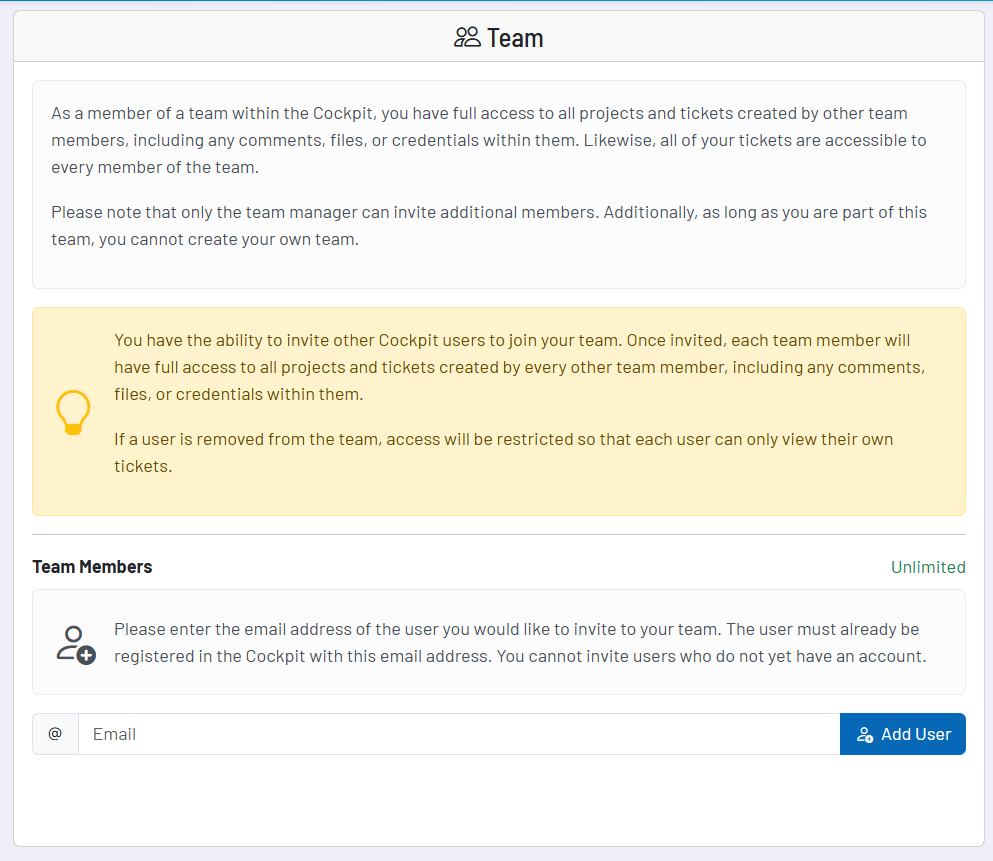
A team consists of a central team manager and the associated members. As soon as an invitation has been accepted, the member works within the shared team context. This means that content is no longer aligned only with the individual account, but becomes jointly visible and usable within the team.
In day-to-day operations, this primarily means: accepted team members see shared projects and tickets, including associated comments, files and access data. This allows several people to work on the same process without having to forward information manually or document it in parallel.
Invitations and joining the team
Invitations are sent by email. Only people who already have a Cockpit account with this email address can be invited. The invited person can accept or decline the invitation. Only after acceptance does the invitation become a real shared work context.
Roles from an end-user perspective
- Team manager/owner: This person manages the team and invites additional members.
- Member: Members work within the shared team context and can leave the team again if necessary.
- Invited: This status applies as long as an invitation has not yet been accepted or declined.
Only the team manager can invite additional people. Members themselves can leave the team, and the team manager can remove existing members again if necessary. This keeps it clearly defined who is organizationally in charge of the shared workspace.
Important recommendation for setup
A team should ideally be set up by the owner, management or a responsible manager. The reason is simple: later on, essential organizational settings and responsibilities will be tied to this central account. If the team is started by someone too peripheral, this can become unnecessarily impractical further down the line.
Where team functions in Cockpit become particularly important
Team functions do not play the same role in every area, but they are particularly valuable in several core functions. The main goal there is to avoid tying data, tasks, projects and operational work to individuals.
- CRM: Shared view of contacts, companies, deals and tasks.
- Time Tracker: Shared projects, times and reports in the team context.
- Tickets: Shared access to requests, comments, files and access data.
- Optimizer projects: Joint monitoring and follow-up of website findings.
- Notes: Shared notes and knowledge collections for the team.
- Reminders: Reminders and operational follow-up within the shared work context.
- Google Ads Analyzer: Analyses can be jointly monitored and further processed across the team.
- Rank Tracker: Shared view of rankings and their development.
The practical benefit always follows the same principle: knowledge, tasks and operational relevance are not tied to a single person, but are transparently available within the right team framework.
Recommended way of working
- Set up the team via an owner or management account with long-term responsibility wherever possible.
- Only invite people who are actually actively working with projects, tickets or customer-related topics.
- Use teams primarily where collaboration, handovers and transparency are operationally important.
- Review invitations and memberships carefully to keep the shared workspace cleanly organized.
- Think of teams not just as a permissions feature, but as the foundation for shared, transparent work in Cockpit.