Reminders is a lean task and reminder tool for day-to-day operational work. The tool is suitable for to-dos, small follow-up items, deadlines, resubmissions, and tasks that should not get lost in a large project management system.
Instead of rigid lists, Reminders combines quick capture, tag structure, due dates, archive, and Assistant. This allows both spontaneous tasks and ongoing work routines to be neatly organized.
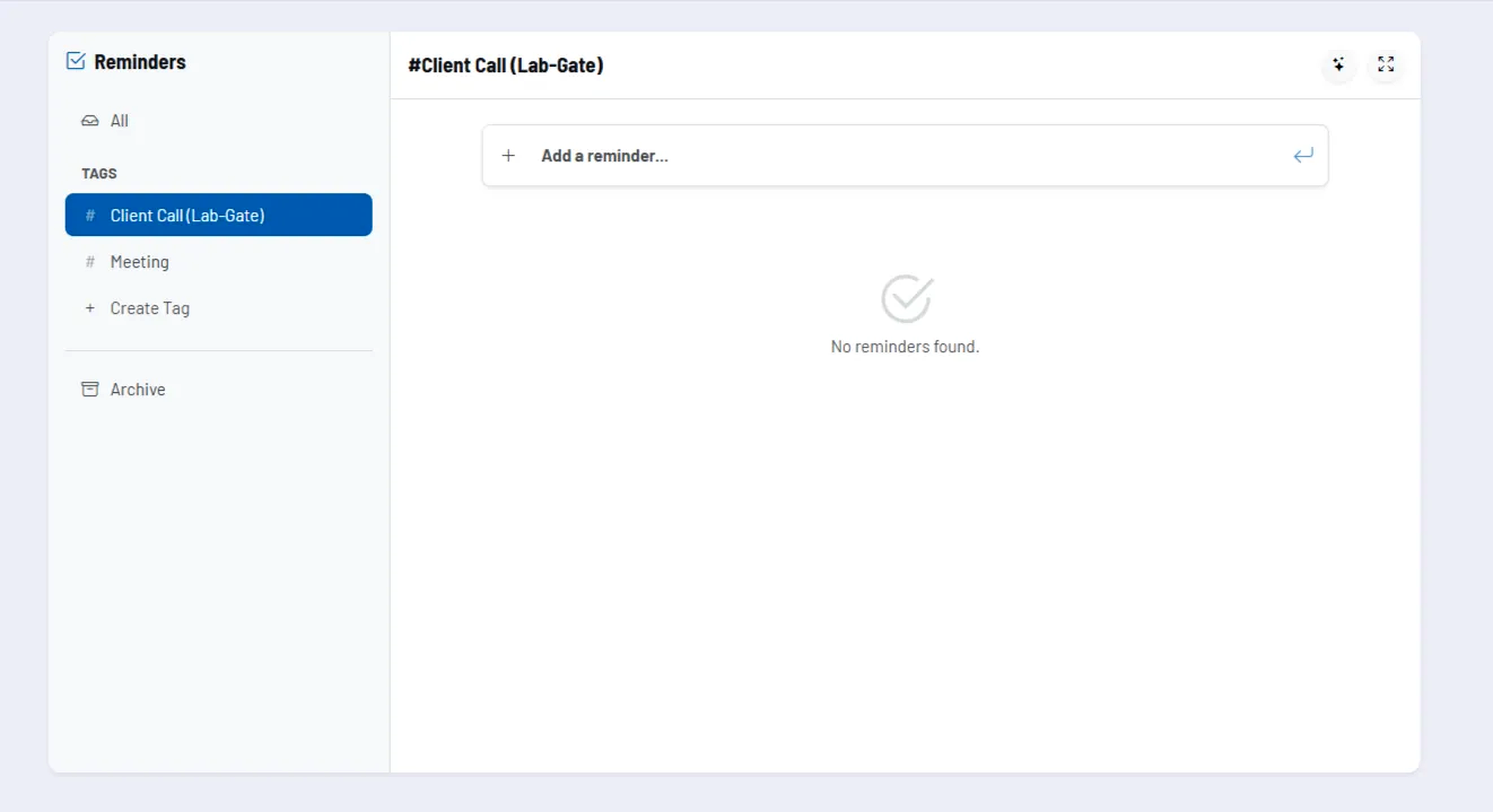
How the tool works in practice
In the list view, you can create new tasks particularly quickly via the quick add line. Existing entries can be opened directly, edited, supplemented with details, or marked as completed.
The left-hand navigation structures tasks using tags. In addition, there is an archive view so that completed or no longer active reminders do not clutter up the daily overview.
For more complex tasks, you can add a description, due date, tags, and file attachments. This keeps the tool lightweight while still offering enough structure for traceable task management.
Core features and key views
- Quick add: New tasks are created directly in the main view without detours.
- Tag-based organization: Tasks can be grouped by topic and filtered via the sidebar.
- Due dates: Deadlines and overdue tasks remain visible.
- Archive: Completed or inactive tasks are retained without overloading the current list.
- Drag-and-drop sorting: Within a tag, tasks can be specifically rearranged.
- File attachments: Supplementary files can be stored directly with the reminder.
- Assistant: Tasks can also be created, structured, or summarized in conversation mode.
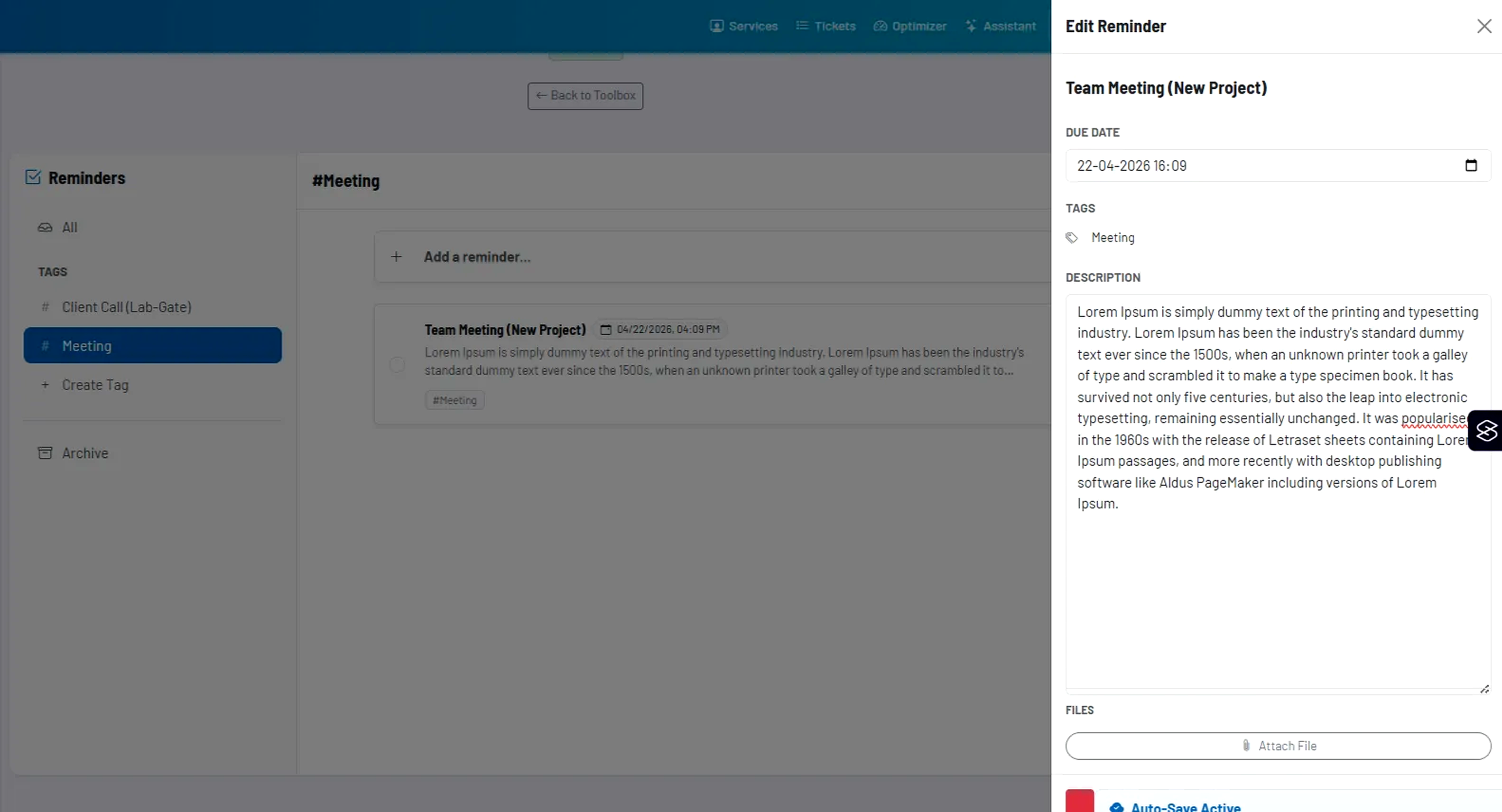
Recommended way of working
- Use tags not only for topics, but also for recurring work areas or areas of responsibility.
- Capture tasks quickly first and add details only where they are really necessary.
- Work with due dates when a task should become more than just a loose reminder.
- Archive consistently so that the active list remains clear and action-oriented.