The Password Generator creates strong passwords directly in the browser and is suitable for all situations where you quickly need a reliable new password. The generation remains local, so sensitive access data does not unnecessarily pass through external systems.
The tool is intentionally simple but very useful in everyday operations. Especially for new logins, user accounts, server access, or project handovers, it helps avoid weak ad-hoc passwords and instead immediately generates a robust combination that can be adapted to the specific requirements.
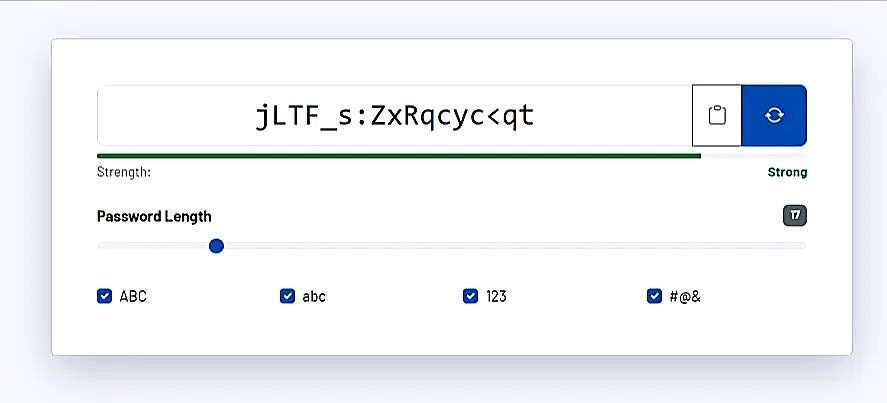
How the tool works in practice
Open the generator and first define the desired length. Then specify which character groups should be included, such as uppercase letters, lowercase letters, numbers, and special characters. Based on these settings, the tool immediately generates a new password.
In parallel, you see a strength indicator that quickly shows you whether the current combination appears sufficiently robust. Using the copy function, you transfer the result directly to the clipboard and can paste it into the target access without any additional intermediate step.
Because the generation takes place locally in the browser, the tool is also suitable for sensitive administrative access, where no unnecessary processing outside your working context is desired. This makes the generator particularly practical for daily technical operations.
Core features and key views
- The password length can be precisely adjusted, allowing you to generate both more compact passwords for simple services and very long combinations for particularly critical access.
- The character sets let you specify exactly which types of characters should be included. This allows you to respond to the requirements of individual systems that demand or prohibit certain formats.
- The strength indicator helps with quick plausibility checks before a password is used or passed on.
- With the direct copy function, the result can be transferred seamlessly into password managers, user interfaces, or technical documentation.
Recommended workflow
Use passwords that are as long as possible with mixed character sets, especially for admin, server, and email access. If a system handles special characters poorly, you should consciously adjust the settings instead of reducing the length or reverting to simple patterns.
The generator is most powerful when combined with a password manager. Create new passwords directly in the tool, then store them in a secure vault and avoid reusing the same passwords across projects or accounts.