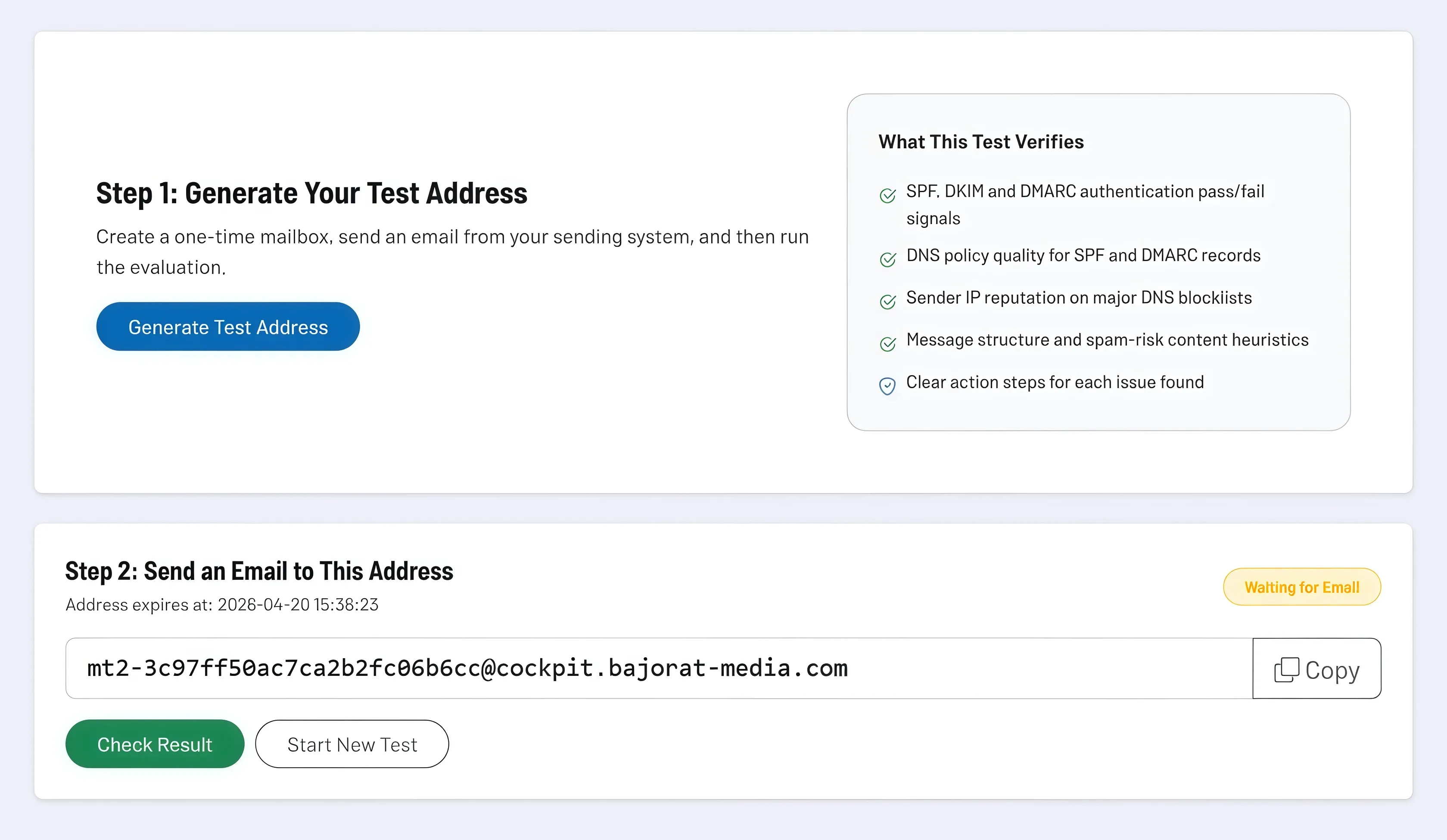
The Email Deliverability tool tests the deliverability of your emails not just theoretically, but based on a real delivery path. You generate a one-time test address, send a message to it from your own system, and then receive a structured evaluation of authentication, reputation signals, technical risks, and spam indicators.
This makes the tool particularly suitable for all situations where newsletters, CRM emails, transactional emails, or contact form messages are being sent, but it remains unclear how they technically arrive at the recipient. Instead of performing separate checks for SPF, DKIM, DMARC, or blacklists, you get a consolidated assessment with direct action recommendations.
How the tool works in practice
In the first step, you generate a temporary test mailbox. You use this address exactly as you would address a real recipient: from your newsletter tool, your CRM, your website, or your mail server. This allows the tool to check the actual sending path and not just individual DNS records in isolation.
After sending, the tool automatically monitors the test mailbox within a short, tight time window. This lets you see at an early stage whether the message has already arrived, without having to constantly reload the page manually. As soon as the message is available, the evaluation starts and condenses the technical signals into a clear risk overview.
In the results area, you will see the risk level, score, and estimated delivery risk. In addition, you see key mail metadata such as sender address, subject, and detected sender IP. This makes it much easier to assign the check to a specific sending attempt and to apply later corrections specifically to the same sender path.
Core features and key views
- The test mailbox is created specifically for a particular test process. This keeps the test clearly separated from regular mailboxes and allows you to trace delivery in isolation.
- The evaluation combines several types of signals into one result: SPF, DKIM, and DMARC checks, DNS quality, reputation checks against DNS blacklists, as well as heuristic spam and structural characteristics of the message.
- Recommendations are not only displayed as raw data, but as a prioritized list of corrective steps. This helps you quickly recognize whether a problem lies in the DNS configuration, the sending service, the sender domain, or the structure of the message.
- The results are divided into sections so that you do not only see an overall score, but can also understand the individual test blocks with their checks and detailed statements.
- Because of the real message flow, the tool is also suitable for post-checks after changes to SPF, DKIM, DMARC, or sending platforms. This way you test not only the theory, but also the impact in actual sending.
Recommended workflow
Always run the test using the same sending route that you also use in production. If you use multiple systems, such as CRM, shop, form server, and newsletter platform, you should run a separate test for each system. Only then can you determine whether problems really exist globally at the domain level or only arise in a specific sender setup.
Work through the recommendations in technical order. Start with SPF, DKIM, and DMARC, then check the sender IP and reputation signals, and only then optimize subject line, content, and message structure. This way you fix the fundamentals first, on which all further improvements in deliverability are built.