The DNS Lookup tool shows you the publicly accessible DNS records of a domain in a clear, filterable structure. This enables you to quickly verify whether a domain is technically set up correctly, whether mail and web services resolve cleanly, and whether a planned migration or error analysis is based on reliable DNS data.
The tool is particularly helpful whenever you want to verify DNS changes, prepare a provider change, or answer support requests with concrete record values. Instead of working through various individual queries, you get a consolidated view of hosts, record types, values, and TTLs.
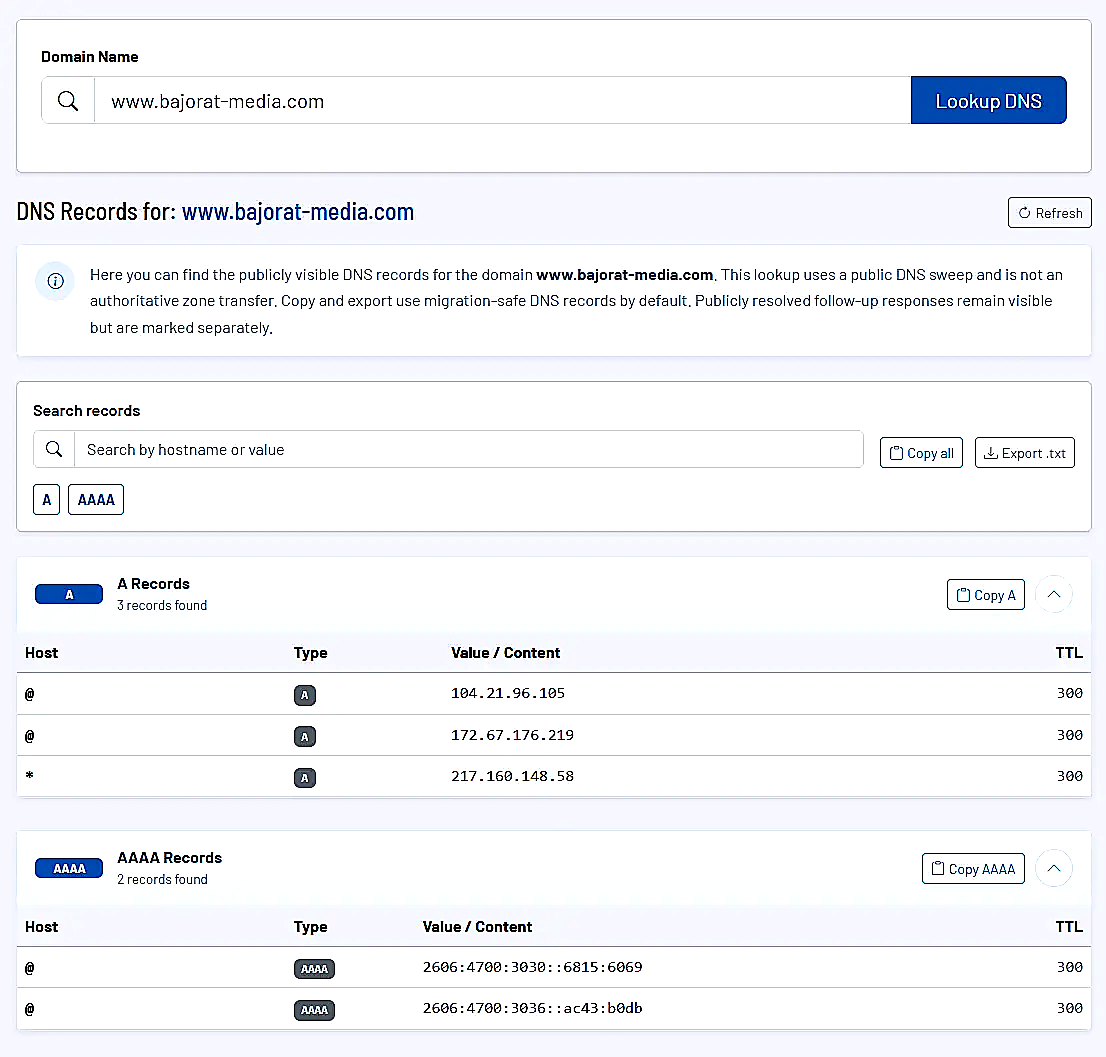
How the tool works in practice
You enter a domain and start the query. The tool reads the publicly visible DNS data and groups the results by record types such as A, AAAA, CNAME, MX, TXT, SRV, or SOA. Within each group you see the individual hosts, their corresponding values, and the respective TTL.
Immediately after the analysis you can search through the list in a targeted way. This is especially useful if you only want to check specific hosts, redirects, or verification TXT records in a larger zone. Instead of manually going through the entire output, you filter by hostnames or partial values and jump straight to the relevant section.
The tool also distinguishes between migration-safe DNS records and additional public responses which remain visible for transparency but are intentionally not used unchecked for copying or export. This helps you avoid accidentally using conflicting responses or technically downstream resolutions as the source state when performing migrations.
Core features and key views
- The result view groups records by type, making it immediately visible whether web, mail, or service configurations are complete.
- For each entry, host, type, value, and TTL are displayed. For special record types such as MX, SRV, or SOA, the tool adds additional technical fields like priority, port, weight, or serial number.
- The search function within the results speeds up checks for specific hosts, target systems, mail servers, or verification records.
- Public follow-up responses that become visible with certain DNS constellations remain traceable but are marked separately. This is particularly helpful when CNAME setups or provider-specific cases influence the resolution.
- The copy and export functions are by default based on a migration-safe view of the zone. This makes the tool a clean working basis for DNS documentation and migration lists.
Recommended workflow
Start with a full query of the domain and first get an overall view. Then specifically check the critical areas such as A and CNAME records for the website and subdomains, MX and TXT records for email, as well as all verification or service records for third-party providers.
If you are preparing a migration, you should use the exportable record list as your working basis and treat public additional responses as context only. This way you do not just document what is currently being resolved, but focus on the configuration that is actually intended to be carried over.