The B2B Lead Finder helps you systematically identify suitable companies for sales and acquisition. Instead of manually compiling company lists, you launch targeted searches by industry, offering profile, region, and company size. You can then further enrich selected results to turn an initial company list into more reliable sales data.
In this article
- New search: How to define your target profile
- Two ways to search for your target group
- Narrowing down region and company size
- Define result volume
- How a lead search runs in the background
- How to read the result list correctly
- Validation and quality signals
- Better assessing size and location
- Using enrichment effectively
- Selection, export, and handover
- Recommended way of working
The tool is therefore particularly valuable for anyone who doesn’t just need any list, but qualified target companies that fit both the content of the offering and the geography of the market. Search history, status display, result validation, enrichment, and export form a clear process from research through to handover into downstream sales systems.
New search: How to define your target profile
Two ways to search for your target group
The Lead Finder offers two useful entry points. You can either directly select known target industries or describe your offering so that suitable industries can be derived from it. This is particularly helpful if you think more in terms of the benefits of your offering than in fixed industry labels.
- Select industries: suitable if your target group is already clearly defined in professional terms
- Describe your offering: suitable if you want the tool to first support you in assigning your targets to suitable industries
Narrowing down region and company size
Additionally, you define the geographic focus and the desired size category of the companies. This way you avoid scatter losses and generate much more suitable hit lists. Especially in the B2B environment, this combination is crucial, because the same industry can have very different potentials in different regions or size classes.
Define result volume
By setting the desired number of leads, you determine how broad the search should be. This is useful both for initial test runs and for more extensive prospecting lists.
How a lead search runs in the background
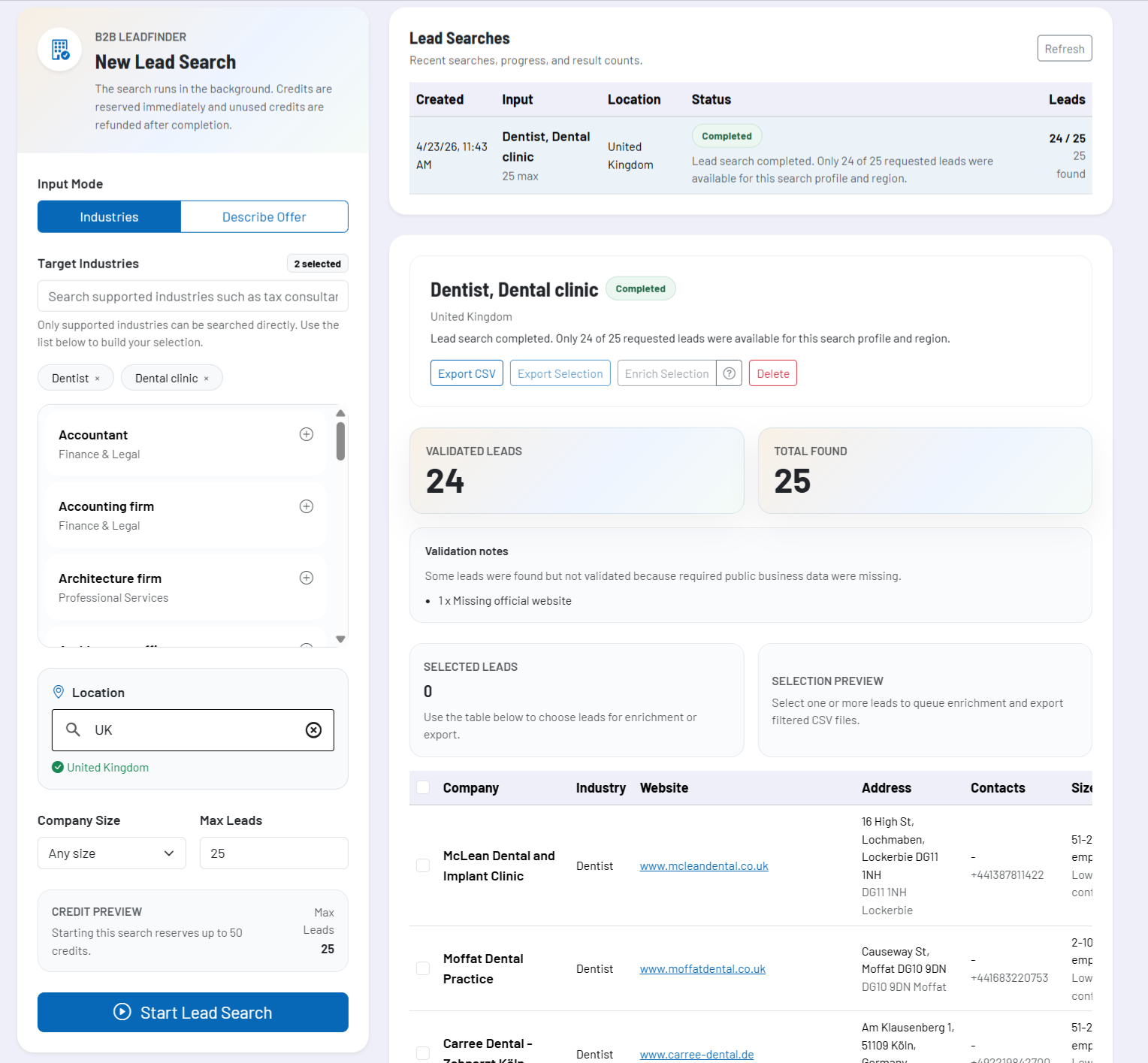
Lead searches are not treated as a one-off form step, but as a traceable search run. After starting, the Lead Finder continues working in the background and continuously updates the status. This allows you to monitor search runs, reopen them later, and only process results further once they are fully available.
| Status | Meaning in the process |
|---|---|
| In queue | The search has been created and will be processed next. |
| Preparation | The search is being structured based on your inputs and prepared for research. |
| Search running | Suitable companies are being collected and matched with the search criteria. |
| Finalizing | The results are being sorted, cleaned, and prepared for the result view. |
| Completed | The hit list is ready for review, selection, enrichment, and export. |
| Failed or canceled | The run has ended without providing usable final results. |
This history view is useful in everyday work when you are running several searches in parallel or want to systematically test which combination of industry, region, and size class delivers the best results.
How to read the result list correctly
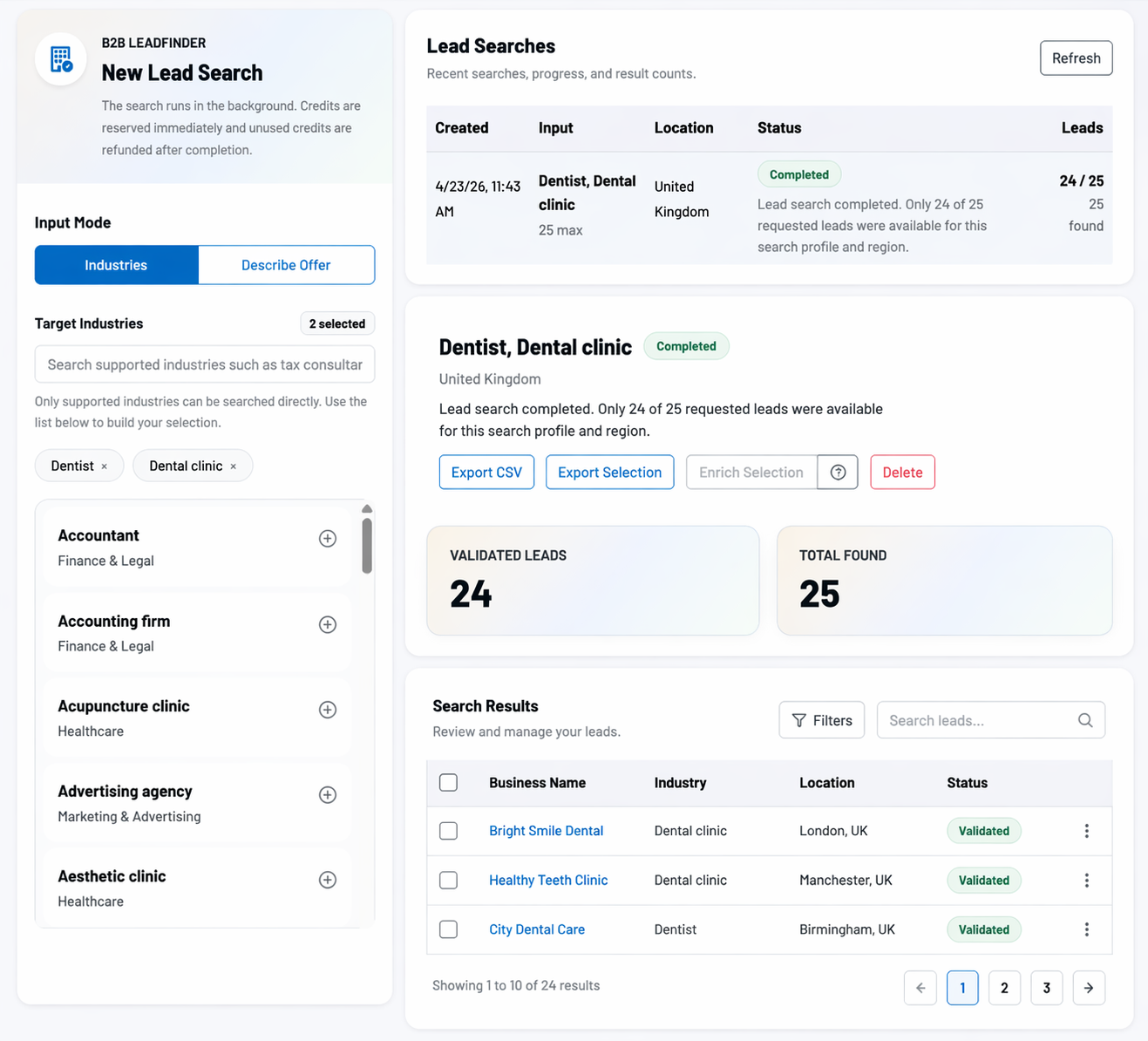
The hits are displayed in a table and typically include company name, industry, website, address, contact traces, size indicators, and status information. What matters is not just whether a company was found, but how reliable and complete the existing information already is.
Validation and quality signals
The Lead Finder marks whether a result appears sufficiently reliable. Among other things, website, address data, and industry relevance are taken into account. If important basics are missing, this is made transparent via notes.
- missing industry: the professional categorization is not yet accurate enough
- missing official website: a central reference point for further validation or contact is missing
- missing address: the company data is not yet complete enough for reliable further processing
Better assessing size and location
In addition to classic contact data, the result list also shows indicators of company size and fit with the selected location. This helps you not only collect many hits, but also set priorities.
Using enrichment effectively
With enrichment, you deepen selected leads in a targeted way. The tool checks public company sources such as website, contact, team, about-us, or legal information pages and adds additional details where these are publicly available.
Typical additions include:
- public email addresses
- contact persons and roles
- more precise phone numbers
- legal company name
- better assessment of company size
| Enrichment status | Meaning |
|---|---|
| Not enriched | The record was found but has not yet been further deepened. |
| In queue or in progress | The in-depth check has been initiated and is still running. |
| Completed | New or more precise public information has been added. |
| No new data | The check was successful but did not yield any additional reliable information. |
| Failed | The in-depth research could not be cleanly completed for this record. |
In practice, you should primarily use enrichment where important information is still missing. If a lead already has a website, address, phone number, and a direct contact trace, the added value is usually lower than for a company that has only been roughly captured so far.
Selection, export, and handover
You can selectively choose individual leads and derive the next step from them. This is useful if you only want to export the strongest hits or initially enrich only part of them further. Results are exported as CSV, either in full or only for the current selection.
This makes the Lead Finder very well suited as an upstream research building block for CRM, outbound sales, market segmentation, or internal acquisition lists. Instead of taking over raw search results, you pass on already structured and prevalidated company data.
Recommended way of working
- Start with a clear combination of industry, region, and company size instead of searching too broadly.
- Use the offering description especially when your target group cannot be captured professionally with a single industry term.
- Review the result list for quality signals before transferring leads to other systems.
- Use enrichment in a targeted way for records that are still missing key contact or company information.
- When the next step is real sales communication, export not the largest but the cleanest selection.